
Your NOC-in-a-Box, running in two business days.
Log collection, polling, correlation, root cause, service impact, ticketing and SLA reporting in one platform, hosted for you and built so one NOC manager runs it in a couple of hours a week (our design target). Try it on your own network, free.
What to have ready
Five things, most of which you already know. Doing more with less starts with a short form, not a project charter.
Your size
How many devices you monitor. Pick the tier that fits today; you can move up at any time.
Your devices
Management IPs or DNS names, or the CIDR ranges you want discovered.
An AI provider
Ollama on your own network, or your own key for OpenAI, Anthropic, Gemini or Grok. You connect it after you sign in.
An email account
Your mail provider for notifications. You connect it yourself after you sign in.
Payment preference
ACH or credit card, for when you decide to keep it. Nothing is charged during the evaluation.
From request to first alert
Submit the request
We confirm your size, region and hostname.
Sign in within two business days
You get a login to your own hosted Rapax system.
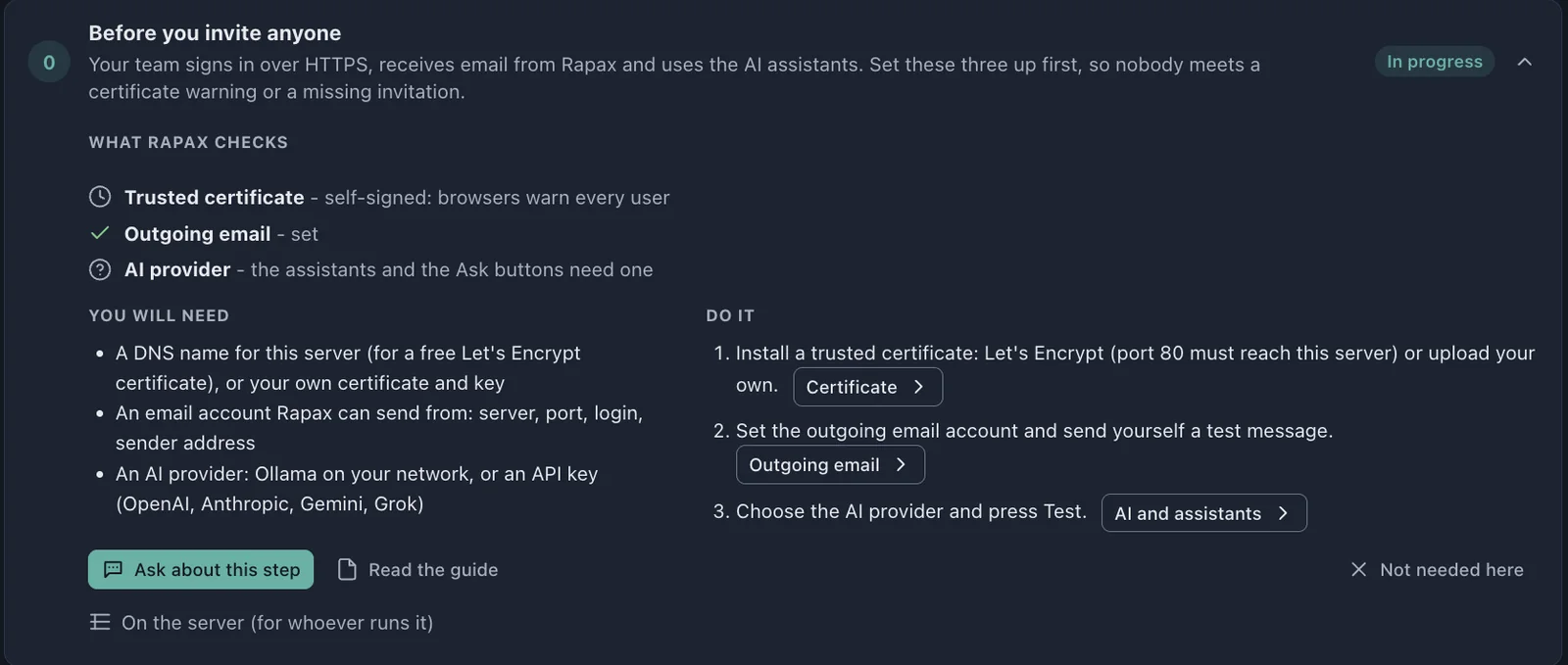
Follow the Get Started guide
Rapax checks your certificate, email and AI provider, then walks you through devices, services and notification profiles.
Connect your network
A split-tunnel WireGuard VPN set up from the browser, or a remote collector inside your network.
Watch it work
Rapax starts polling, correlating and building baselines as soon as devices connect. Stuck? Ask the built-in assistant.
Decide by day 14
Keep it with a license install, and your 10 setup hours carry over. Or walk away.
Request your free evaluation
Takes about three minutes.
Two ways to get to your first alert
The license was never the expensive part. Getting a platform installed, staffed and running was.
A project before a single alert
Months of approvals, hiring and installation.
- Get IT approval for new servers or a VPS
- Evaluate and hire a systems integrator
- Hire a project manager to run it
- Run a lengthy requirements and design phase
- Write, issue and score an RFP
- Take the funding request to the board
- Hire and train a team of administrators
Alerts first, then decide
Free for 14 days, hosted for you.
- Fill in a short request form
- Sign in to your own system within two business days
- Follow the Get Started guide
- Connect your network from the browser
- See correlated alerts on your own devices
- Run it in a couple of hours a week (design target)
Doing more with less is the new reality. Rapax is built for it.
The Get Started guide holds your hand.
Every step says what Rapax checks, what you will need and where to do it, with an “Ask about this step” button that answers from the documentation. You get value on your own devices before you have read a manual.
Common questions
Where is my system hosted?
On its own server, sized to your device tier, in the region you choose: the United States, Canada, Mexico or Europe.
Where does my monitoring data go?
To your own dedicated Rapax server in the region you choose, and nowhere else. It reaches your devices over a split-tunnel VPN that routes only the subnets you list, or through a remote collector that connects out over TLS.
Which AI does it use, and who pays for it?
You choose: Ollama on your own network, or your own key for OpenAI, Anthropic, Gemini or Grok, so you control the provider and its data terms. Token use and estimated cost are tracked per assistant and model.
What happens on day 15?
If you keep it, a license install converts the evaluation: your devices, services and history stay. If you don’t, nothing is charged.
Run the network, not the tools.
Request your free 14-day evaluation and get a login to your own Rapax system within two business days.
Request your evaluationPrefer to talk first? Book 15 minutes or email sales@rapax.us.