
One platform for network and infrastructure monitoring.
Fault, performance, topology, service and ticketing in one system with one data model. That shared model is what lets Rapax correlate across logs, polling, alerts and services, and tell you which customers a failure affects instead of which interface went down.
From what your network emits to one thing to act on.
Collect
Syslog, SNMP traps, ping and SNMP v2c/v3 polling, webhooks, REST and existing Kafka streams. No device agents. Remote collectors at each site connect out over TLS and buffer up to 24 hours if the link drops.
Model
Devices, links, services and customers in one topology and service model, built by discovery, by Nora from your network drawings, or by hand.
Correlate
Parent/child, topology and service correlation collapses symptoms under their root cause and attaches the services and customers affected.
Predict
Per-metric baselines, anomaly detection and capacity forecasts run continuously in the background.
Act
Native tickets, a customer portal, notifications and AI assistants work from the same record, so the alert, the service, the customer and the ticket are one object.
Report
Availability and SLA against target over 24 hours, 7, 30 and 365 days, scheduled and delivered.
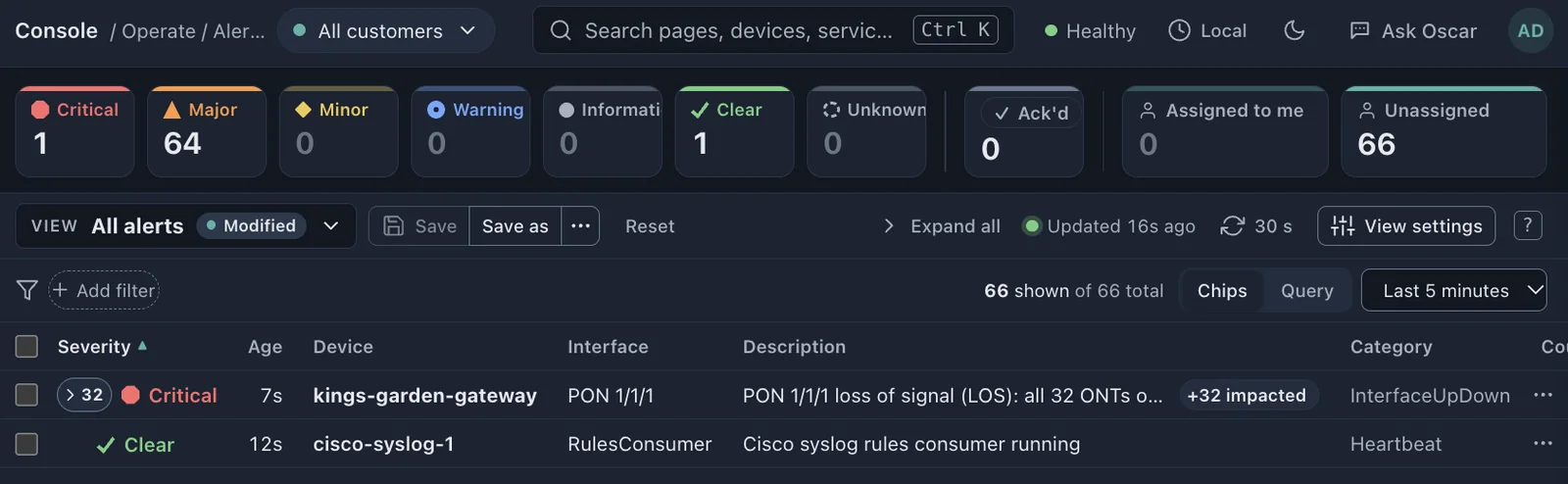
Alarms in, root cause out.
Alerts from any vendor’s devices normalize into one event model. Correlation nests downstream symptoms under the parent that caused them, so a router outage and its failed interfaces arrive as one critical problem.
- Parent/child, topology and service correlation
- Root cause one click away from any alert
- Filters, saved views and a live console that updates every 30 seconds
- Device and service availability on every alert
Replaces: a per-vendor fault manager and the manual work of correlating between them.
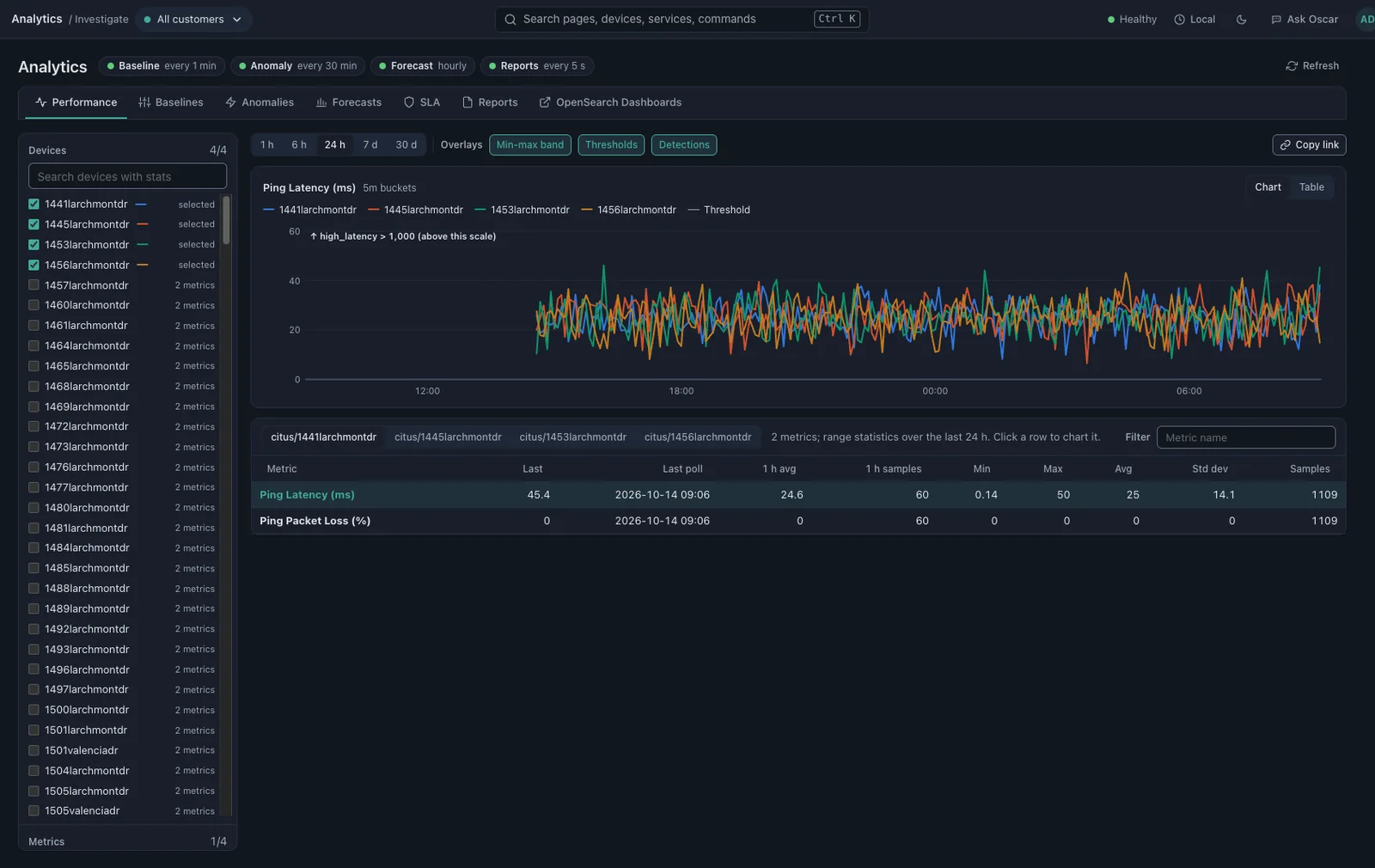
Reactive, predictive and preventative.
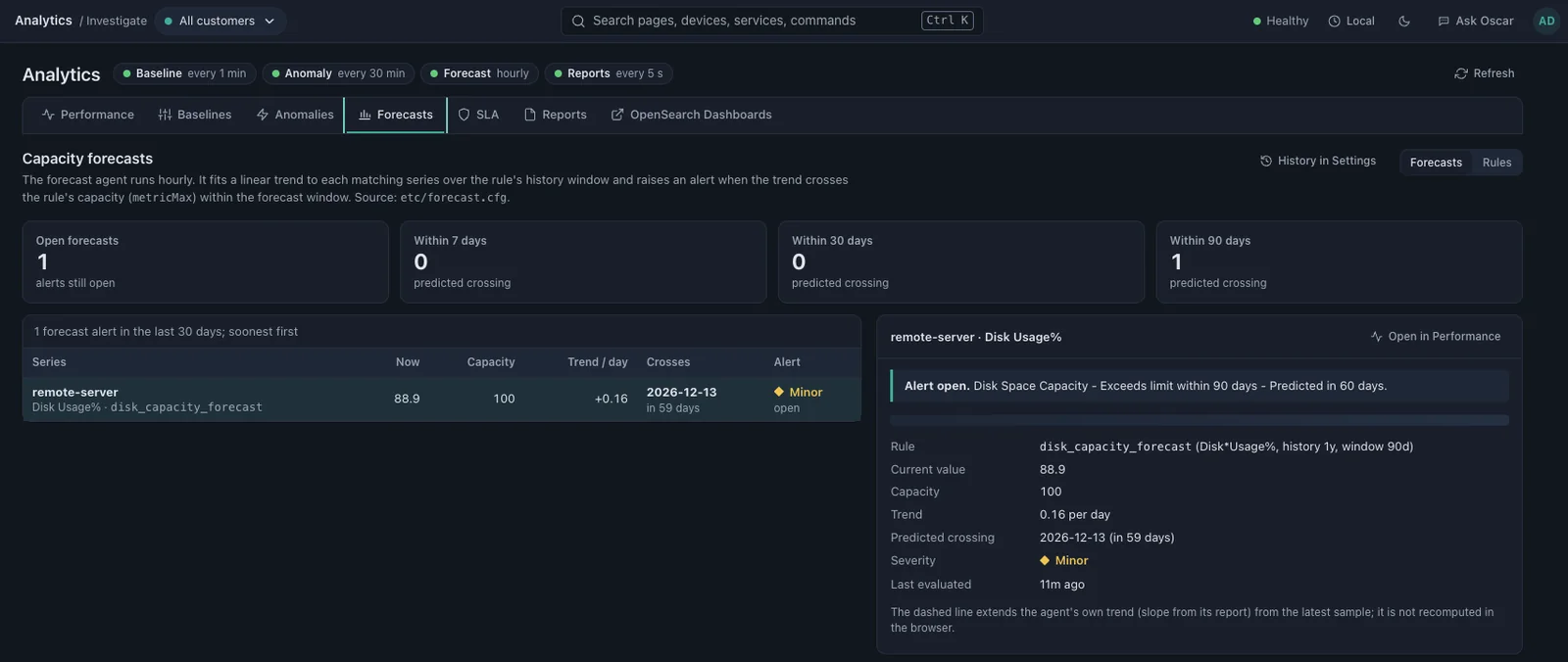
Continuous collection with a baseline for every metric. Analytics agents run in the background: baselines every hour, anomaly checks every 30 minutes and forecasts hourly.
- Charts for any device and metric, point and click, no query language
- Anomaly detection that shows its evidence on the alert
- Capacity forecasts that arrive as a date
- Thresholds you can tune from the chart
Replaces: a standalone poller and the capacity-planning spreadsheet built from its exports.
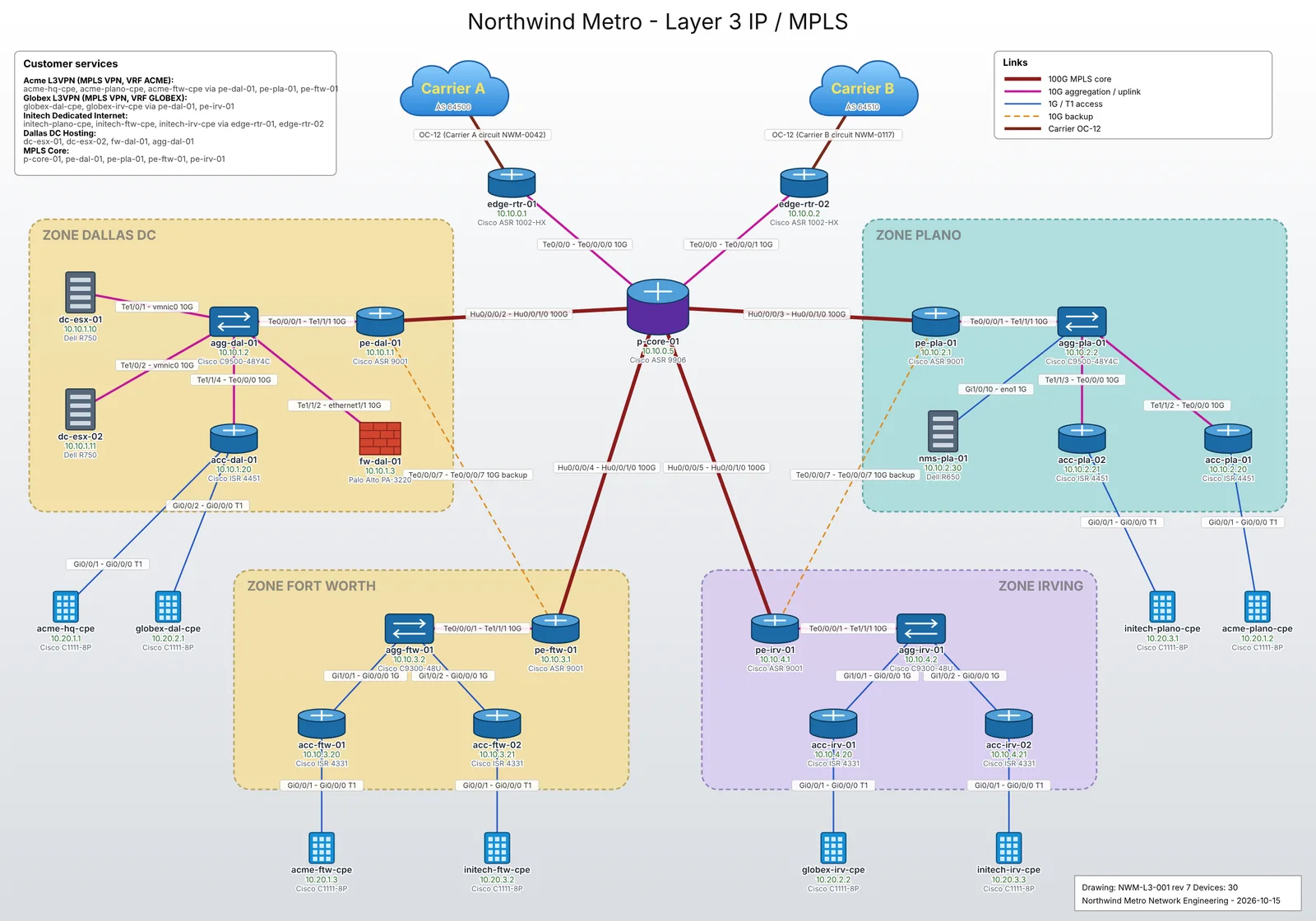
Monitoring built from the drawings you already have.
Give Nora an as-built network drawing and she proposes the devices, links and services it shows. Nothing is monitored until you review and approve it. Discovery finds what the drawing missed and flags duplicates.
- As-built drawings, device lists or plain-language descriptions
- Discovery by IP range with duplicate review
- Device configuration collection, history and what changed
- A topology map with live device state
Replaces: the static inventory system, the GIS export and the spreadsheet that is more current than either.
Impact in services and customers, not interfaces.
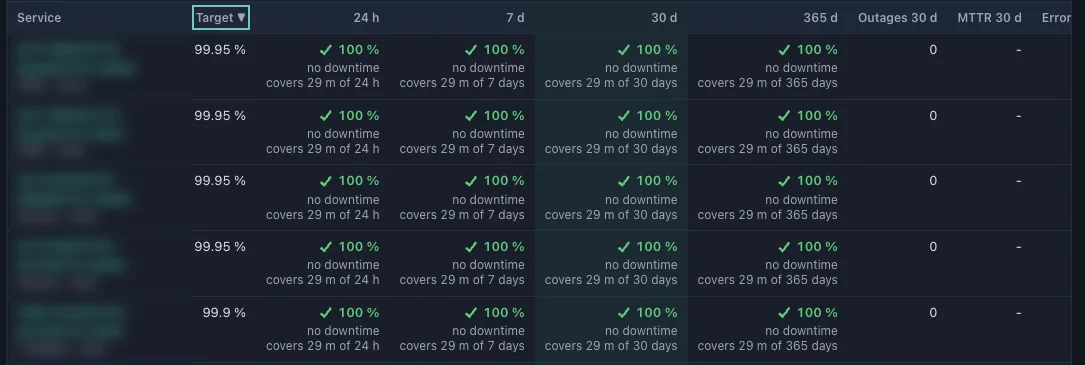
Services are modeled explicitly: which devices and links each depends on, which customer it belongs to and what availability target it carries. A failure is reported as the services and customers it affects.
- Service trees by customer, site or business unit
- Availability and SLA against target over 24 hours, 7, 30 and 365 days
- Error budgets and scheduled reports
- Service impact on every alert
Tickets that live with the alert.
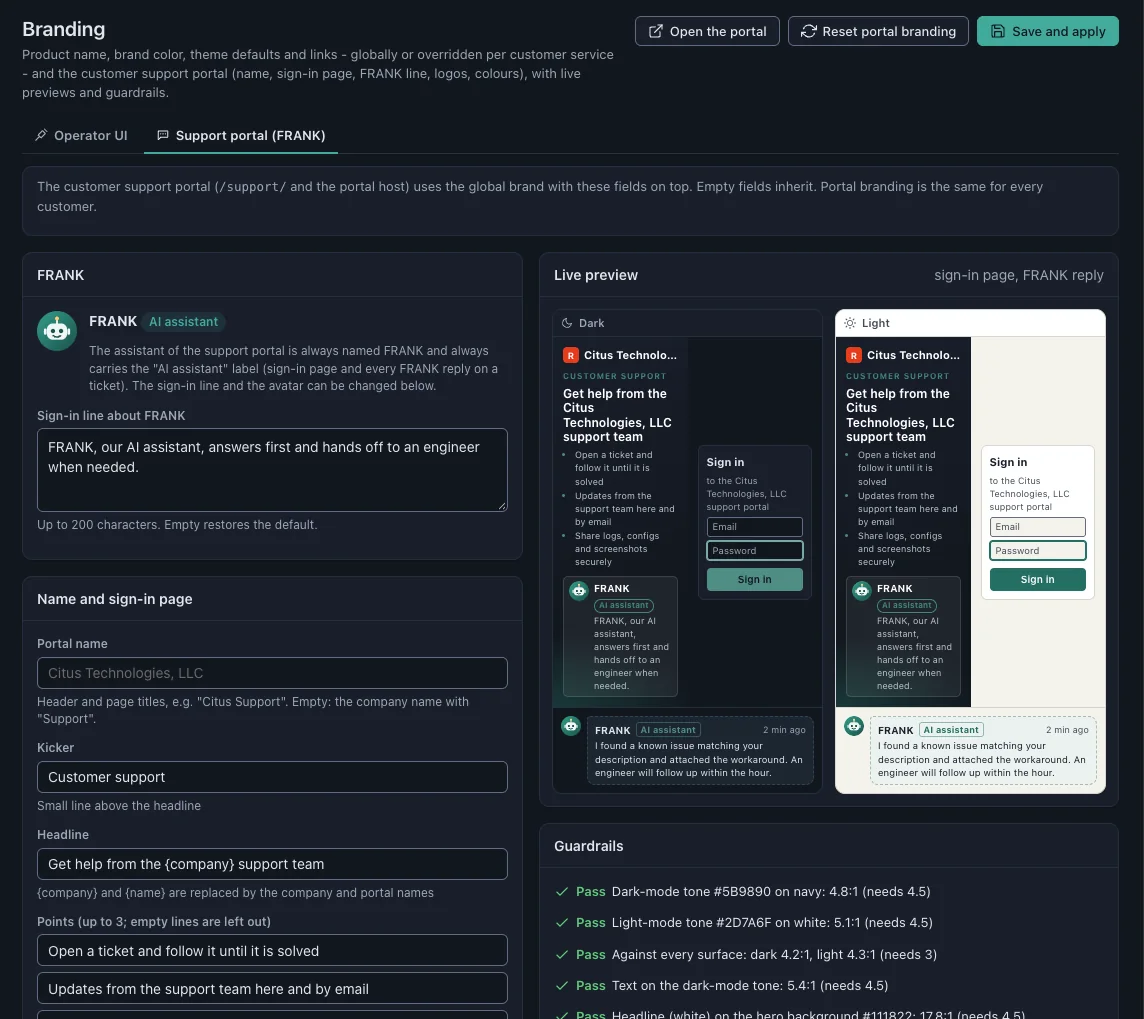
Native incident management means the alert, the affected service, the customer and the ticket are one object instead of four systems and a synchronization job. Customers get a branded support portal where FRANK, the AI tier-1 assistant, answers first and hands off to an engineer when needed.
- Queues, SLAs and escalation paths
- A customer support portal with light and dark branding
- Zendesk, osTicket and Salesforce connectors for teams that keep one
Replaces: a separate ITSM tool for network operations.
Answers from your runbooks, with sources.
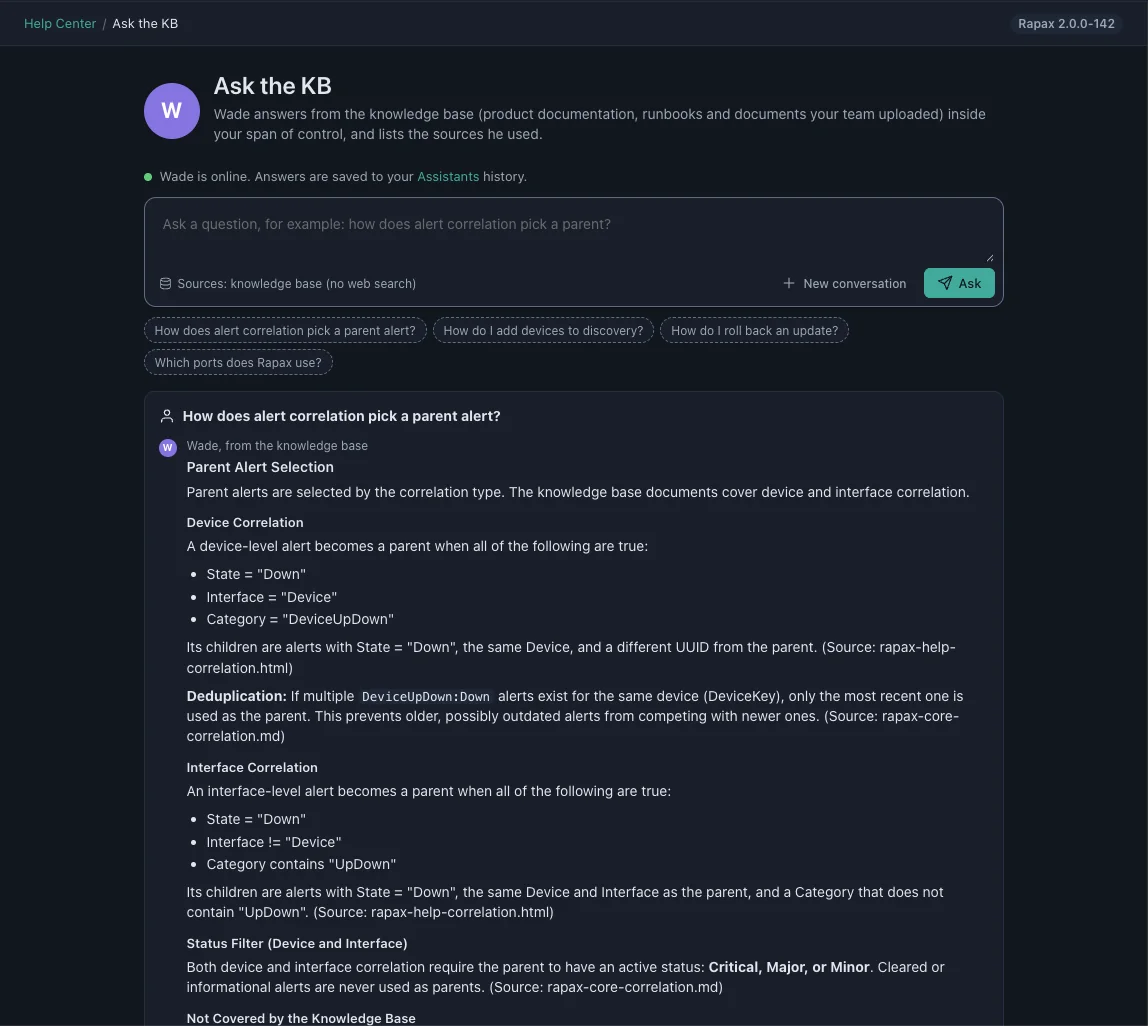
Ask a question on any page and the answer comes from your own runbooks and documents, with the source cited. If your documentation doesn’t cover it, the answer says so instead of improvising.
- Your choice of AI provider: Ollama on your own network, or your own key for OpenAI, Anthropic, Gemini or Grok
- No action without a person confirming it
- Token use and estimated cost tracked per assistant, model and day
Replaces: a wiki nobody reads.
Every customer in their own view.
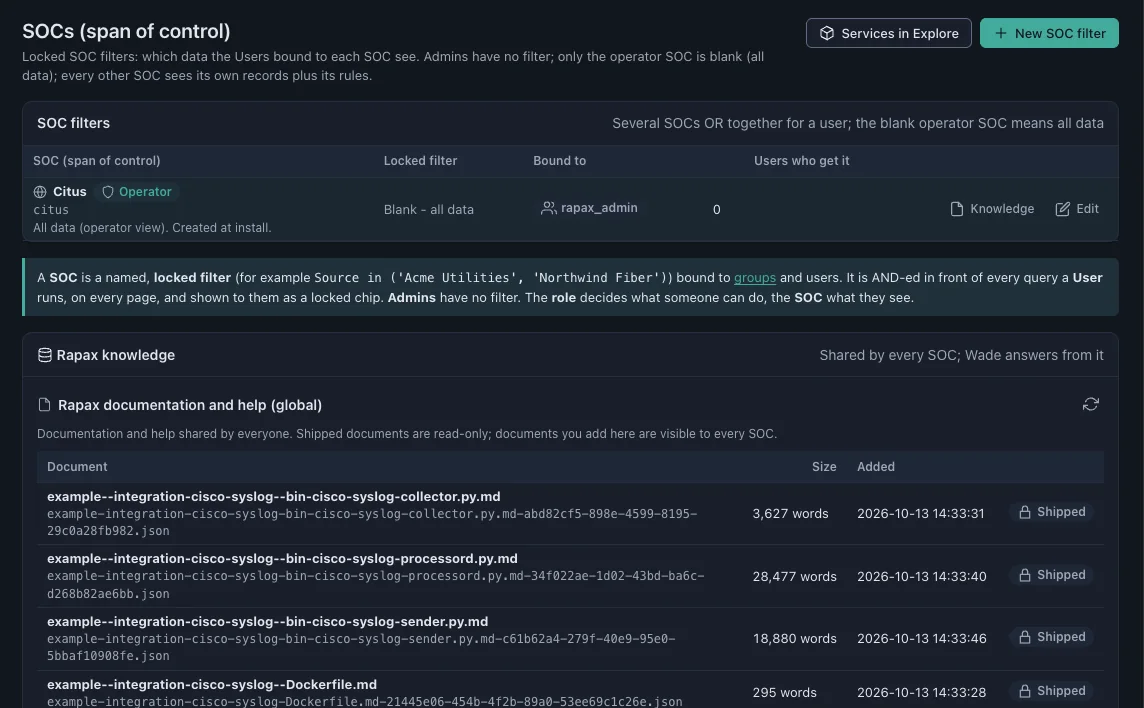
A SOC (span of control) is a locked filter bound to users and groups. Each customer or business unit sees only its own devices, alerts, services and reports on the same Rapax system, with its own branding, knowledge base and portal.
Replaces: a separate instance per customer.
Built so a NOC manager runs it in a couple of hours a week. Design target
Install, update, back up and secure the platform from the browser. Every job is audited and allowlisted.
One-script installer
One shell script prepares the server and installs the version you choose, on our hosting or your own server.
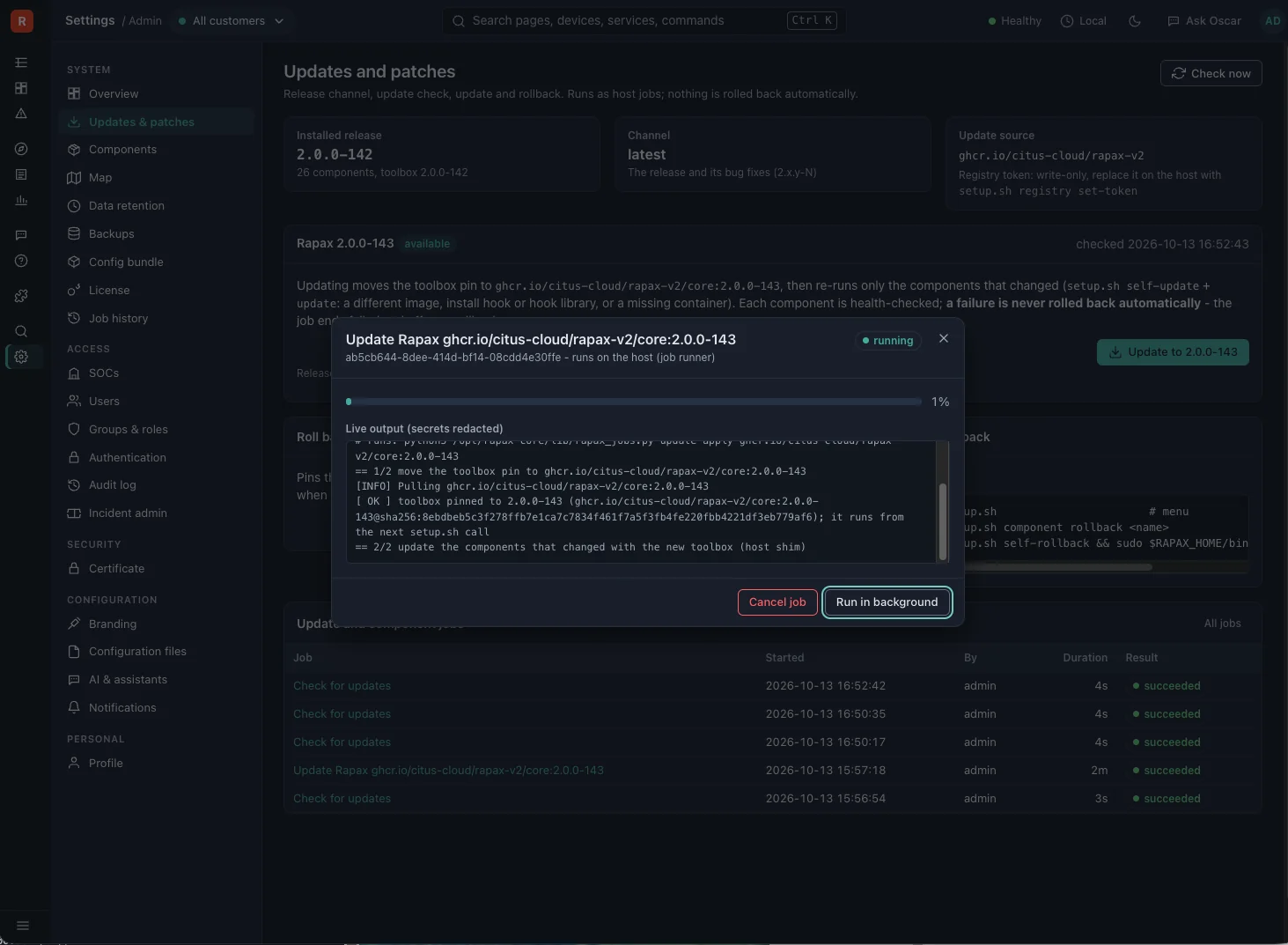
One-click updates
A snapshot first, a verified result and rollback if it fails. Updates can be automated.
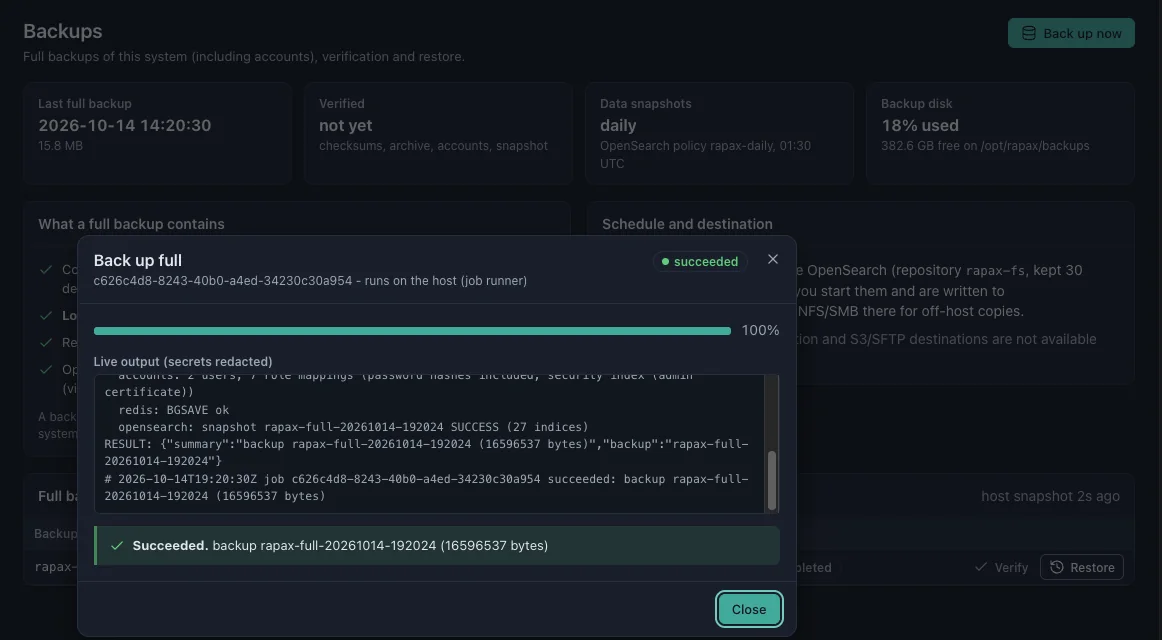
Backups
Full backups, verification and restores from Settings, with daily data snapshots kept 30 days.
Certificates
Let’s Encrypt certificates that renew themselves, or upload your own.
Remote collectors
A collector at each site connects out over TLS and stores up to 24 hours of data if the link drops.
Network access
A split-tunnel WireGuard VPN set up from the browser, or a remote collector when your firewall supports only IPsec or OpenVPN.
Guided setup
A Get Started guide and a built-in assistant that cites the documentation it draws on.
One modern interface
Light and dark mode, a command palette and the assistant on every page.
Where it runs.
Hosted by Rapax
A dedicated server per customer, sized to your device tier, in the United States, Canada, Mexico or Europe. No data is shared between Rapax customers.
On your own server
The same one-script installer runs on your own server or any cloud VM, if your policy requires it.
Reaching your network
Split-tunnel WireGuard routes only the subnets you list. Remote collectors connect out over TLS, so nothing opens inbound to your sites.
See the platform on your own devices.
Request your free 14-day evaluation and get a login to your own Rapax system within two business days.
Request your free evaluationPrefer to talk first? Book 15 minutes or email sales@rapax.us.