
Your network data, on your terms.
How Rapax hosts, connects, stores and protects your monitoring data, and how the AI assistants handle it. Written for the person who has to sign off on it.
Dedicated, regional, yours.
Dedicated hosting
Every customer runs on its own server, sized to its device tier. No data is shared between Rapax customers.
Your region
Hosted in the United States, Canada, Mexico or Europe, as you choose.
Or your own server
The same one-script installer runs on your own server or any cloud VM when policy requires it.
No lock-in
Back up your data and your Rapax configuration from the browser and download both at any time.
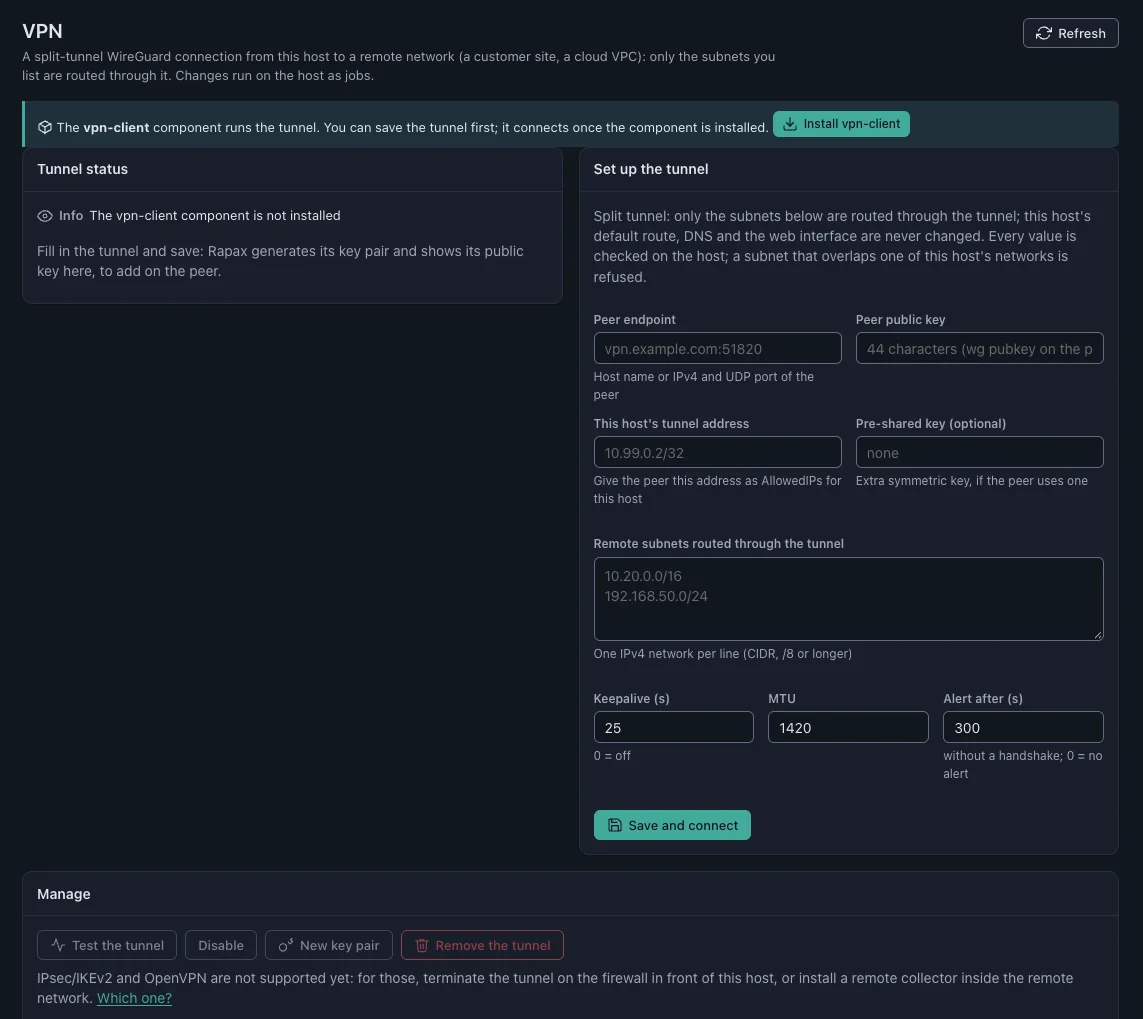
Nothing opens inbound to your sites.
- Split-tunnel WireGuard VPN, set up from the browser, routes only the subnets you list.
- Remote collectors inside your network connect out over TLS, each limited to its own data, and buffer up to 24 hours if the link drops.
- Trusted certificates from Let’s Encrypt renew themselves, or upload your own.
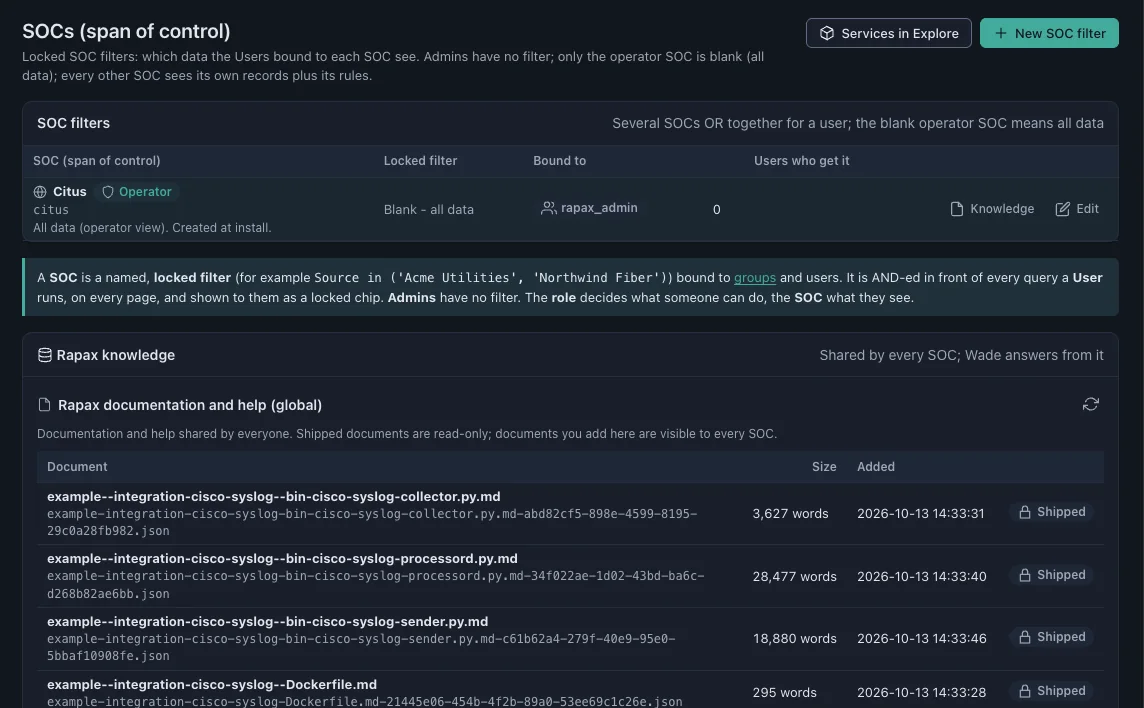
Least privilege by design.
- Roles decide what someone can do; SOCs (span-of-control filters, not security operations centers) decide what they can see, applied in front of every query.
- Secrets are never stored in plain environment variables. Keys and credentials are entered by you inside your own system, encrypted, never on our website.
- Administrative jobs such as updates, backups and certificate changes run as audited, allowlisted jobs launched from the browser.
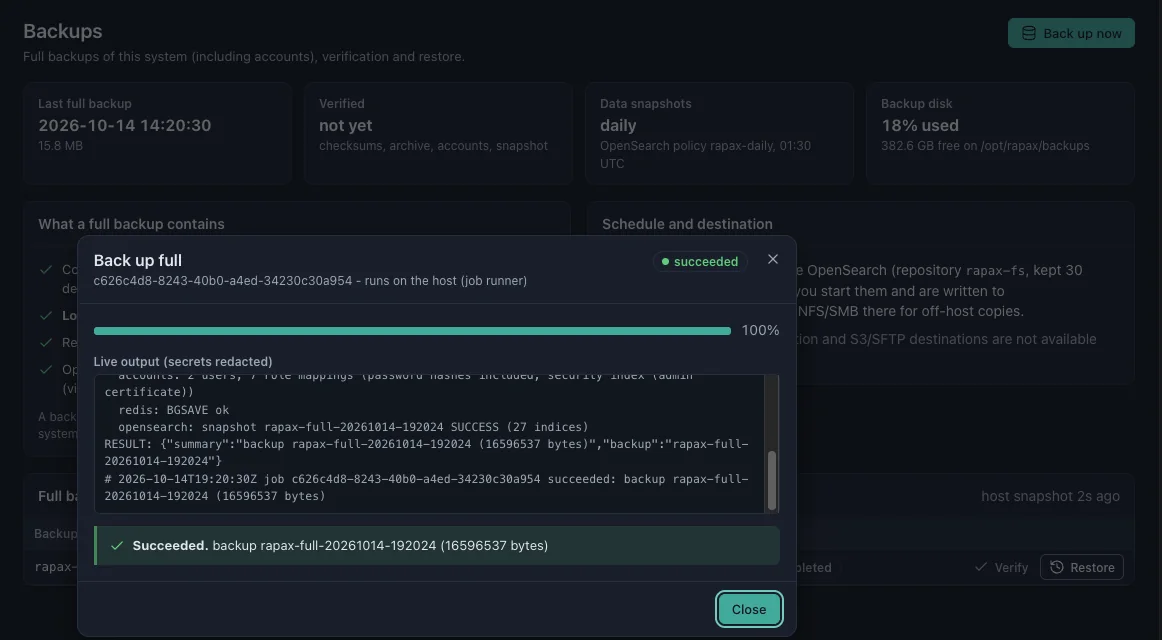
Backups you can prove.
- Full backups, verification and restores from Settings
- Daily data snapshots kept 30 days
- A snapshot before every update, with rollback if it fails
- Collectors that replay buffered data in order when the link returns
You choose the model. Answers show their sources.
Your provider, your terms
Run Ollama on your own network so no third-party AI provider sees your data, or bring your own key for OpenAI, Anthropic, Gemini or Grok under your own agreement with that provider.
Grounded answers
Assistants answer from your documents and cite them, and say when your documentation doesn’t cover the question.
A person confirms changes
Agents propose and draft. Nothing changes on your network or in your configuration without a person confirming it.
Usage you can audit
Requests, tokens and estimated cost reported per assistant, model and day.
Security testing in every release.
ZAP/OWASP security testing is built into how we build Rapax, not bolted on before an audit. Rapax 2.0 passed all 46 of its test suites at general availability: 4,475 checks, zero failures.
Test it against your own policy.
Run the free 14-day evaluation on your own devices, in your chosen region.
Request your free evaluationPrefer to talk first? Book 15 minutes or email sales@rapax.us.